
As holiday traditions blend with modern technology, homeowners are reimagining the way Christmas lights interact with their environment. One of the most innovative frontiers is using facial recognition to customize light patterns based on who is viewing them. While it may sound like science fiction, the convergence of affordable AI hardware, open-source software, and programmable LED systems makes this not only possible but increasingly practical for tech-savvy decorators.
The idea isn’t just about turning lights on when someone approaches. It’s about creating a personalized experience—welcoming family members with their favorite colors, triggering nostalgic animations when grandparents arrive, or even adjusting brightness for children sensitive to intense light. The potential goes beyond convenience into emotional resonance, transforming seasonal decor into an intelligent, responsive extension of your home.
How Facial Recognition Integrates with Smart Lighting Systems
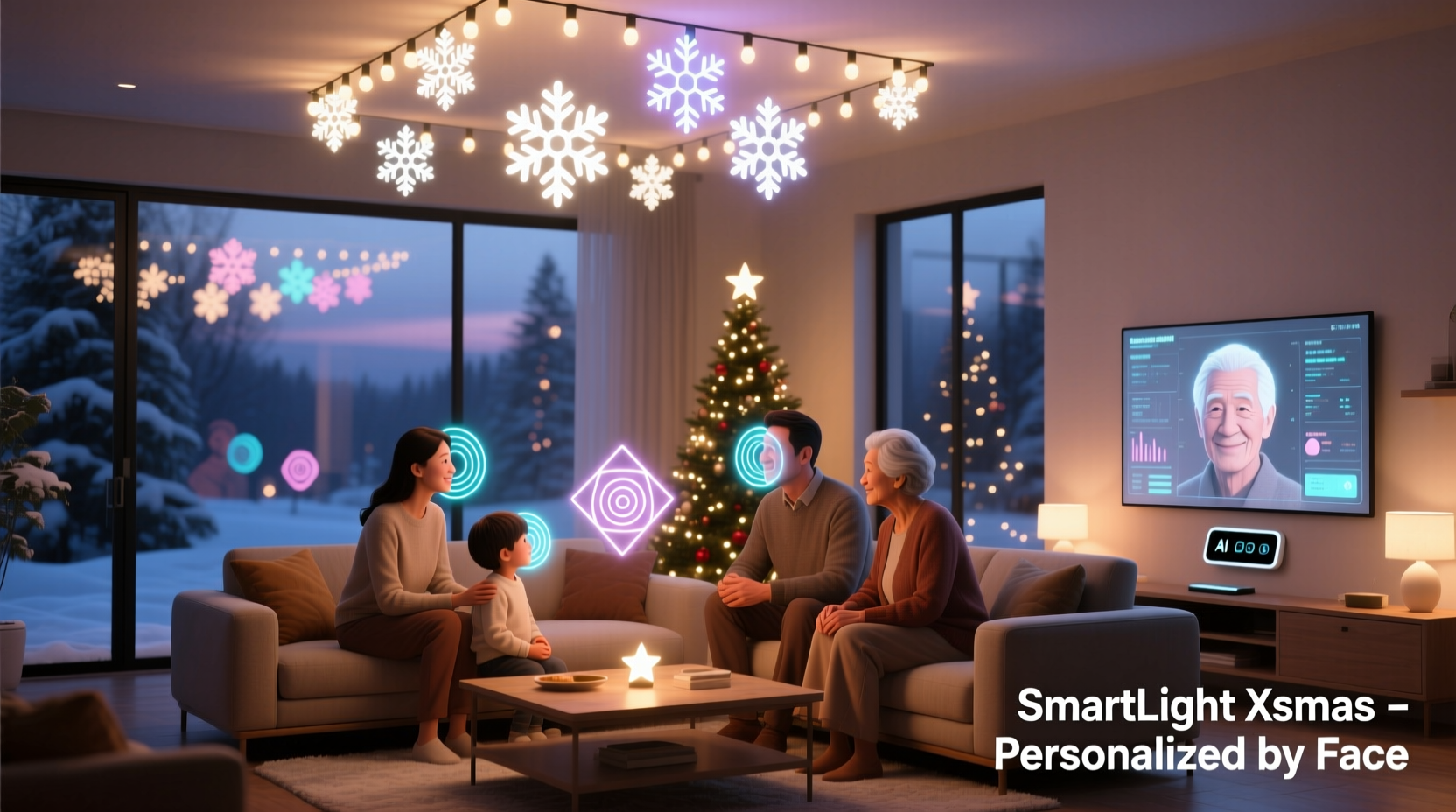
Facial recognition works by analyzing unique facial features—such as the distance between eyes, jawline shape, and nose structure—to identify individuals from a stored database. When paired with a microcontroller (like a Raspberry Pi) and connected to a networked LED system (e.g., WS2812B strips controlled via FastLED or WLED), this data can trigger dynamic lighting behaviors in real time.
The typical setup involves a camera module positioned near the display area. As someone enters the field of view, the device captures an image, processes it through facial detection algorithms (often using OpenCV and deep learning models like FaceNet or DeepFace), and matches the face against registered profiles. Once a match is confirmed, a signal is sent to the lighting controller to activate a pre-programmed sequence tied to that individual.
This integration relies on three core components:
- Sensing Layer: A camera (USB, Pi Camera, or IP-based) captures visual input.
- Processing Layer: A local computing device runs identification software and decision logic.
- Actuation Layer: The lighting system receives commands via protocols like MQTT, HTTP API calls, or direct GPIO signals to execute custom effects.
Because these systems can run entirely offline, they avoid many cloud-dependent latency and privacy issues associated with commercial smart devices.
Practical Applications and Creative Possibilities
Personalization through facial recognition opens up imaginative ways to enhance holiday experiences. Consider a family gathering where each arriving guest triggers a unique welcome animation:
- A child sees reindeer prancing across the roofline in bright blues and greens—their favorite colors.
- Grandparents are greeted with soft golden waves and classic carols playing through synchronized outdoor speakers.
- A returning college student activates a pulsing “Welcome Home” message spelled out in multicolor LEDs along the driveway.
These aren’t just gimmicks—they’re meaningful touches that deepen emotional connections during the holidays. Beyond aesthetics, such systems can serve functional purposes:
- Accessibility: Reduce strobe effects or lower brightness for visitors with photosensitivity.
- Security Differentiation: Recognize known faces versus strangers, potentially altering behavior (e.g., brighter alert pattern without sounding alarms).
- Guest Interaction: Allow visitors to \"unlock\" special modes—like a snowstorm effect—by smiling at the camera.
One homeowner in Portland programmed his display so that when his daughter approached, the lights cycled into a pink-and-purple aurora borealis pattern she had drawn in kindergarten. “It feels like the house remembers her,” he said. “And honestly, it brings tears to our eyes every time.”
Mini Case Study: The Johnson Family’s Responsive Holiday Display
The Johnsons, a tech-inclined family in suburban Denver, installed a facial recognition-enabled lighting system before the 2023 holiday season. Using a Raspberry Pi 4, two wide-angle cameras, and 30 meters of addressable RGB LEDs, they built a fully autonomous setup.
They began by registering six family members and close neighbors. Each profile was linked to a specific color scheme and animation style. When Mr. Johnson arrived home from work, a warm amber cascade moved from the garage to the front porch. His wife triggered a shimmering silver spiral. Their dog, though not human, was humorously assigned a wagging tail-like light pulse whenever he passed under the sensor.
The system used motion detection as a first filter to conserve processing power, only activating facial analysis upon movement. All data was stored locally; no images were uploaded or shared externally. Over the season, neighborhood foot traffic increased significantly, with many stopping simply to witness the personalized greetings.
“We didn’t expect it to become a community event,” Mrs. Johnson noted. “But seeing kids wave at the camera hoping to see their ‘magic colors’ light up—it made the effort worth it.”
Privacy, Ethics, and Responsible Implementation
While exciting, integrating facial recognition into public-facing displays raises legitimate concerns. Cameras pointed outward may inadvertently capture passersby who haven’t consented to being identified. Even if data isn’t stored, the perception of surveillance can unsettle guests or neighbors.
To maintain trust and comply with ethical best practices, consider the following principles:
- Limited scope: Only recognize individuals who have explicitly opted in.
- Data minimization: Store only encrypted feature vectors (not raw photos) and delete unrecognized attempts immediately.
- Transparency: Post clear signage indicating the presence of facial recognition and its limited purpose (“This display recognizes registered family members to personalize lights”).
- Local processing: Avoid sending biometric data to the cloud unless absolutely necessary—and even then, use end-to-end encryption.
“We encourage hobbyists to treat biometrics like medical records—because that’s what they’re becoming.” — Dr. Lena Patel, Digital Ethics Researcher at MIT Media Lab
In Europe, such systems may fall under GDPR regulations if personal data is processed, requiring explicit consent and the right to be forgotten. In the U.S., while federal rules are looser, some states—including Illinois and Texas—have strict biometric privacy laws (e.g., BIPA). Always consult local guidelines before deployment.
Step-by-Step Guide to Building Your Own System
Creating a facial recognition-powered Christmas light display is achievable with moderate technical skills. Follow this timeline to build your own:
- Week 1: Gather Components
- Raspberry Pi 4 (or similar SBC)
- Pi Camera Module 3 or USB webcam
- Addressable LED strip (WS2812B/NeoPixel)
- Power supply (5V, sufficient amperage)
- MOSFET or level shifter (for signal integrity)
- Week 2: Set Up Software Environment
- Install Raspberry Pi OS (64-bit recommended)
- Set up Python environment with OpenCV, DeepFace, and NumPy
- Install WLED or custom FastLED script for light control
- Week 3: Train Recognition Model
- Capture 10–20 images per person under varying lighting
- Use DeepFace to generate embeddings and store in a secure JSON file
- Implement confidence threshold (>85%) to prevent false positives
- Week 4: Integrate & Test
- Write a Python script that links recognized identities to light patterns
- Test indoors first with low-power LEDs
- Calibrate camera angle to cover approach paths without capturing streets
- Week 5: Deploy Safely
- Weatherproof electronics using enclosures
- Add physical switch to disable camera when desired
- Display notice sign near property line
Comparison Table: DIY vs Commercial Solutions
| Feature | DIY System | Commercial Smart Lights |
|---|---|---|
| Facial Recognition Support | Yes (customizable) | No (limited to app/device detection) |
| Privacy Control | Full (local processing) | Limited (cloud-dependent) |
| Cost (Initial) | $150–$300 | $80–$200 |
| Customization Level | High (code-level access) | Low (preset scenes) |
| Maintenance Effort | Moderate to high | Low |
| Setup Time | 20–40 hours | Under 1 hour |
Frequently Asked Questions
Is it legal to use facial recognition for holiday lights?
In most jurisdictions, it’s legal to use facial recognition on your private property for non-surveillance purposes, provided you don’t record or share data without consent. However, laws vary—especially in regions with strong biometric privacy statutes (e.g., Illinois BIPA). Always inform visitors and avoid capturing footage beyond your property boundaries.
Can the system work in the dark?
Yes, but you’ll need infrared (IR)-capable cameras or supplemental IR lighting. Standard cameras struggle in low light, but Pi NoIR cameras combined with IR illuminators allow reliable night-time operation without visible glare. Ensure the lighting doesn’t interfere with the decorative LEDs.
What happens if someone wears a hat or glasses?
Modern facial recognition models are robust to accessories, especially when trained with varied images. For best results, include training photos with common variations (hats, scarves, eyewear). If accuracy drops, increase the number of reference images or adjust the confidence threshold to reduce misfires.
Checklist: Launching Your Personalized Light Display
- ☐ Choose a single-board computer with sufficient processing power
- ☐ Select weather-resistant LEDs and proper power delivery
- ☐ Install camera with optimal field of view (focused on walkways/driveways)
- ☐ Register household members with diverse training images
- ☐ Code identity-to-light mappings with fallback default mode
- ☐ Test recognition accuracy in different lighting conditions
- ☐ Implement automatic data deletion for unrecognized faces
- ☐ Post clear signage about the system’s function and limitations
- ☐ Add manual override switch for privacy-sensitive moments
- ☐ Share success stories (with permission) to inspire others
Conclusion
Using facial recognition to personalize Christmas light patterns is more than a technical feat—it’s a new form of expressive, interactive holiday art. When designed thoughtfully, it combines innovation with warmth, welcoming loved ones in ways that feel almost magical. The technology empowers creators to build environments that respond not just to time or motion, but to identity and emotion.
Yet with great capability comes responsibility. Prioritize privacy, transparency, and inclusivity. Let your lights celebrate connection—not surveillance. Whether you're a seasoned maker or a curious beginner, now is the time to explore how AI can enhance tradition rather than replace it.




 浙公网安备
33010002000092号
浙公网安备
33010002000092号 浙B2-20120091-4
Comments
No comments yet. Why don't you start the discussion?