
The evolution of virtual reality has reached a pivotal point with the release of standalone headsets like the Meta Quest 2. For years, PC-powered devices such as the Oculus Rift defined high-end VR—delivering immersive experiences tethered by a single, persistent cable. The Meta Quest 2 changed that equation, offering freedom of movement without requiring a gaming rig. But for longtime VR users, the question remains: Is upgrading from the Oculus Rift to the Meta Quest 2 truly worth giving up the wired connection and PC-level fidelity?
This isn’t just about convenience versus power—it’s about how your usage patterns, content preferences, and long-term goals shape what “better” really means in VR today.
Design and Comfort: From Tethered Rig to All-in-One Simplicity
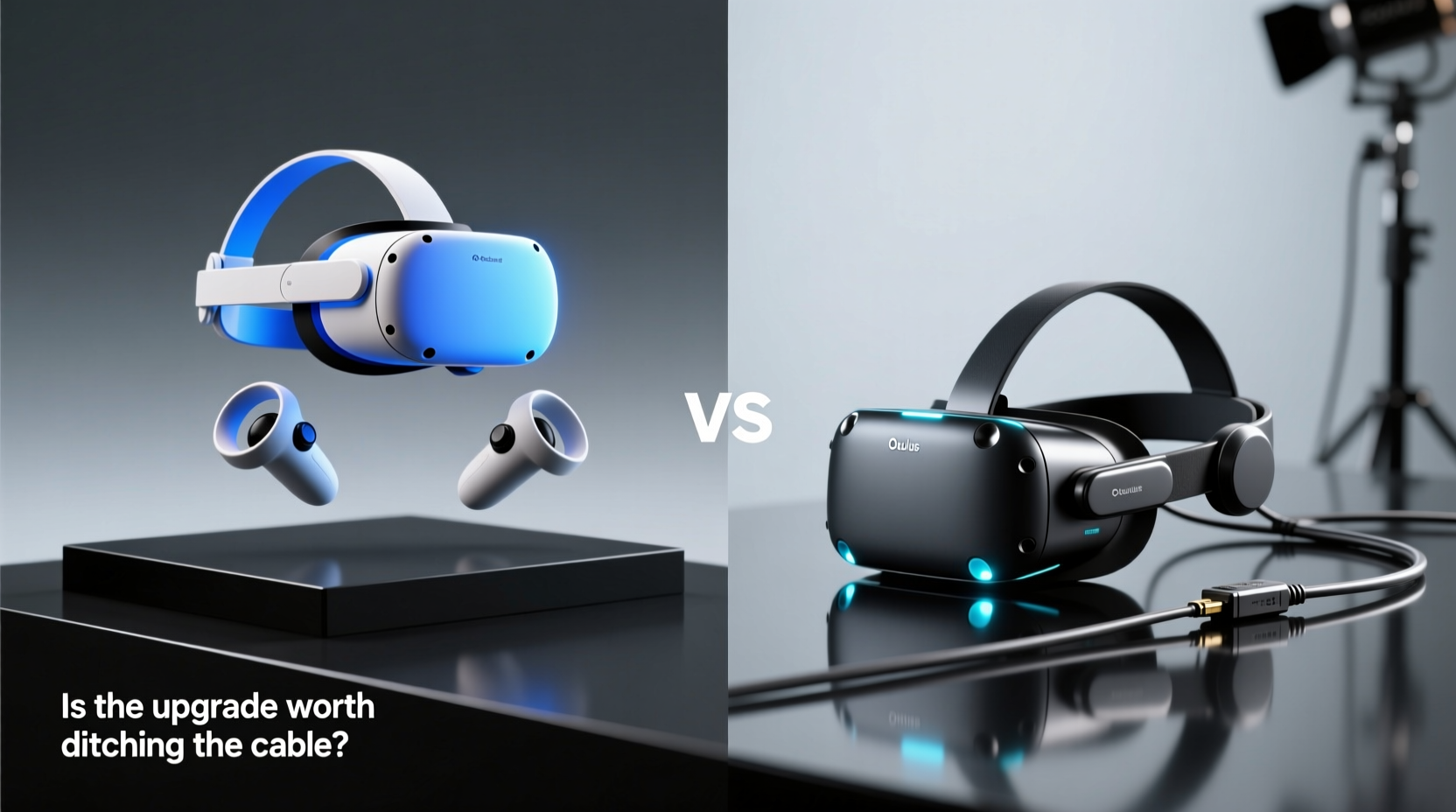
The physical design differences between the Oculus Rift and Meta Quest 2 reflect broader shifts in VR philosophy. The original Rift (S or CV1) was built for desktop immersion, relying on external sensors or cameras for tracking and connecting via HDMI and USB cables to a capable PC. While this setup ensured stable, low-latency performance, it also limited mobility and required dedicated space.
In contrast, the Meta Quest 2 is a self-contained unit. It runs on a Qualcomm Snapdragon XR2 processor, has built-in storage, and operates independently of any external hardware. Setup takes minutes—download the app, pair the controllers, and you're ready. There's no need for base stations or sensor calibration.
Comfort-wise, both headsets use an adjustable halo-style strap, but the Quest 2 improves ergonomics slightly with better weight distribution. However, some users report increased facial pressure due to its denser front-heavy design. After extended sessions, the Rift—with its more balanced build—can feel less fatiguing.
Performance Comparison: Raw Power vs Wireless Freedom
The core trade-off lies in performance. The Oculus Rift, when paired with a mid-to-high-end gaming PC (e.g., GTX 1060 or better), delivers higher resolution textures, smoother framerates, and richer graphical detail through SteamVR and Oculus PC apps. Games like *Half-Life: Alyx* or *Lone Echo* push visual boundaries only possible with desktop GPU support.
The Quest 2, while impressive for a mobile chipset, operates within thermal and processing constraints. Native games are optimized for efficiency, meaning lower polygon counts, reduced draw distances, and compressed assets. Standalone titles like *Resident Evil 4 VR* or *Gorilla Tag* shine, but they don’t match the fidelity of their PC counterparts.
That said, the Quest 2 supports PC VR via Air Link or a USB-C cable using Oculus Link. This allows access to Rift-compatible SteamVR content, effectively turning it into a wireless Rift alternative—at a cost. Streaming introduces minor latency, compression artifacts, and occasional signal drops, especially in crowded Wi-Fi environments.
“Wireless VR opens accessibility, but current tech still sacrifices some precision and clarity compared to direct wired connections.” — Dr. Lena Torres, Human-Computer Interaction Researcher, MIT Media Lab
Feature Comparison Table
| Feature | Oculus Rift (CV1 / S) | Meta Quest 2 |
|---|---|---|
| Connection Type | Wired (HDMI + USB) | Wireless (Wi-Fi 5), Optional USB-C Link |
| Processing Unit | Depends on PC specs | Qualcomm Snapdragon XR2 |
| Resolution (per eye) | Rift CV1: 1080×1200 Rift S: 1280×1440 |
1832×1920 |
| Refresh Rate | 90Hz (up to 120Hz experimental) | 72Hz, 80Hz, 90Hz, 120Hz (beta) |
| Tracking System | External sensors (CV1) Inside-out (Rift S) |
Fully inside-out (4 cameras) |
| Standalone Functionality | No | Yes (Android-based OS) |
| PC VR Compatibility | Native | Via Oculus Link or Air Link |
| Battery Life | N/A (powered via PC) | 2–3 hours continuous use |
| Price (Launch) | $599 (CV1), $399 (Rift S) | $399 (now discontinued, replaced by Quest 3) |
Real-World Example: Sarah’s Upgrade Dilemma
Sarah, a VR enthusiast since 2017, invested in the original Oculus Rift for her home office. She loved playing flight simulators and architectural walkthroughs that demanded precision and high frame rates. When she considered switching to Quest 2, she worried about losing graphical quality. After testing both setups side by side, she found compromises.
She kept her Rift for professional VR modeling software that required exact hand tracking and ultra-low latency. But for casual gaming, fitness apps like *Supernatural*, and multiplayer social spaces like *VRChat*, the Quest 2 became her go-to. The ability to play instantly without booting up her gaming PC made VR part of her daily routine—not just a weekend event.
Her solution? Dual-system usage. She didn’t fully “ditch the cable”—she relegated it to specific tasks where wire-free wasn’t enough.
Is the Upgrade Worth It? A Step-by-Step Decision Guide
Deciding whether to upgrade depends on your priorities. Follow this sequence to evaluate your needs:
- Assess Your Current Usage: Do you primarily use VR for productivity, hardcore gaming, or light entertainment?
- Evaluate Your Space: Is your play area clutter-free and large enough for untethered movement?
- Check Your Internet Setup: If using Air Link, do you have a strong 5GHz Wi-Fi network near your play zone?
- Consider Content Library: Are most of your favorite titles available natively on Quest, or do they require PC streaming?
- Test Battery Tolerance: Can you manage recharging every few hours, or do you prefer unlimited session time via wall power?
- Weigh Long-Term Goals: Are you likely to adopt future standalone VR advancements, or will you stick with high-fidelity PC VR?
If freedom, ease of use, and accessibility rank higher than maximum graphical fidelity, the Quest 2 represents meaningful progress—even if not technically superior in every way.
Common Pitfalls to Avoid When Making the Switch
- Expecting identical performance: Even with Oculus Link, expect slight input lag and visual compression.
- Ignoring storage limits: The Quest 2 comes in 64GB or 256GB variants; large games can fill space quickly.
- Overlooking account fragmentation: Some games must be purchased separately for standalone and PC modes.
- Using poor lighting: Inside-out tracking struggles in dim or overly bright rooms with reflective surfaces.
Frequently Asked Questions
Can I use my Oculus Rift accessories with the Meta Quest 2?
No. The Rift uses different sensors, controllers, and tracking systems. Quest 2 controllers are not compatible with Rift software, and vice versa. You’ll need to purchase new accessories designed for Quest.
Does the Quest 2 support all Oculus Rift games?
Not directly. Through Oculus Link or Air Link, you can stream many Rift-compatible games from your PC to the Quest 2. However, native standalone games are limited to those available on the Quest Store. Some titles may require separate purchases.
Is motion sickness worse on wireless VR?
Not inherently. Motion sickness depends more on framerate stability, tracking accuracy, and game design than connection type. That said, dropped frames during wireless streaming can increase discomfort for sensitive users.
Final Verdict: Freedom Has Its Trade-offs
The shift from Oculus Rift to Meta Quest 2 symbolizes a broader transition in consumer technology—from powerful but restrictive systems to accessible, flexible alternatives. Ditching the cable brings undeniable benefits: instant access, portability, simplified setup, and wider adoption across non-gaming applications like fitness, education, and remote collaboration.
But it’s not a universal upgrade. If you rely on VR for professional-grade simulations, competitive esports, or graphically intense experiences, maintaining a wired PC setup still offers unmatched reliability and quality.
For most users, though, the convenience of the Quest 2 outweighs the technical drawbacks. And as wireless streaming improves and standalone hardware evolves, the gap continues to narrow. The future of VR is untethered—but the cable still holds value for those who demand peak performance.




 浙公网安备
33010002000092号
浙公网安备
33010002000092号 浙B2-20120091-4
Comments
No comments yet. Why don't you start the discussion?