
There’s nothing quite like the warm glow of a beautifully lit Christmas tree to bring holiday cheer into your home. But when those twinkling lights start flickering unpredictably—dimming, blinking out, or pulsing erratically—the magic fades fast. Flickering isn’t just annoying; it can signal underlying electrical issues, faulty components, or simple wear and tear. The good news? Most causes are fixable without professional help. With a few tools, some patience, and the right approach, you can diagnose and resolve the problem quickly, restoring your festive ambiance.
Understanding Why Lights Flicker: The Science Behind the Sparkle
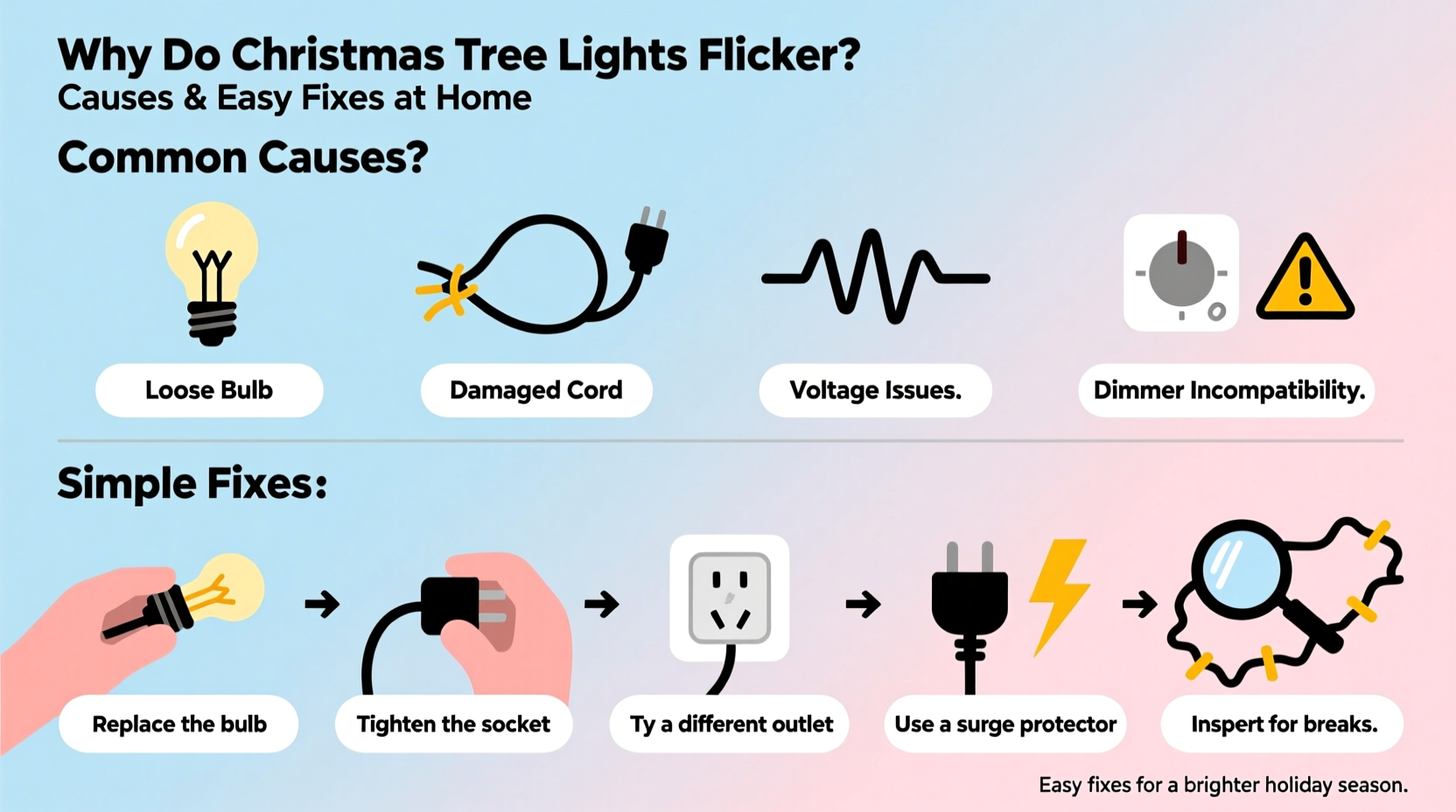
Flickering in Christmas tree lights typically stems from interruptions in the electrical current flowing through the strand. Most traditional incandescent mini-lights are wired in series, meaning electricity passes from one bulb to the next in a single circuit. If any point along that path is compromised—a loose bulb, broken filament, or damaged wire—the entire strand or a section of it may flicker or go dark.
LED lights, while more energy-efficient and longer-lasting, aren’t immune to flickering. Their behavior is often tied to incompatible dimmers, power surges, or driver malfunctions within the light set. Unlike incandescent bulbs, LEDs respond instantly to voltage changes, making them more sensitive to fluctuations.
The root cause of flickering usually falls into one of three categories: connection problems, component failure, or external power issues. Identifying which category your situation belongs to is the first step toward a lasting solution.
Common Causes of Flickering and How to Diagnose Them
Flickering doesn’t happen randomly. Each symptom points to a likely culprit. By observing the pattern of the flicker, you can narrow down the cause and avoid unnecessary troubleshooting.
1. Loose or Improperly Seated Bulbs
In series-wired strands, a single bulb that isn’t fully screwed in can break the circuit. This leads to partial or total darkness, or intermittent flickering as vibrations temporarily restore contact.
2. Burned-Out or Faulty Bulbs
A dead bulb with a broken filament interrupts the flow of electricity. Many modern light sets include shunt wires designed to bypass dead filaments, but these don’t always work reliably, especially in older strands.
3. Damaged Wiring or Insulation
Worn, frayed, or pinched wires—often caused by storage damage or pet chewing—can create short circuits or inconsistent conductivity. Look for visible kinks, exposed copper, or melted insulation near plugs or connectors.
4. Overloaded Outlets or Power Strips
Plugging too many light strands into a single outlet or daisy-chaining multiple extension cords can exceed the circuit’s capacity. This leads to voltage drops, causing lights to dim or flicker, especially when other appliances turn on.
5. Incompatible Dimmer Switches or Controllers
If your lights are connected to a wall dimmer or smart controller not rated for low-wattage LED strings, they may flicker due to insufficient load or incompatible pulse-width modulation (PWM) signals.
6. Poor Outlet Grounding or Voltage Fluctuations
Older homes may have outdated wiring or ungrounded outlets. These can cause unstable voltage delivery, particularly noticeable with sensitive LED lights. Test the outlet with a lamp or phone charger to see if other devices behave erratically.
“Flickering lights are often the first warning sign of an electrical issue. While many cases are harmless, persistent flickering under load could indicate a fire hazard.” — James L. Reed, Licensed Electrician & Home Safety Consultant
Step-by-Step Guide to Fixing Flickering Christmas Lights
Follow this systematic approach to identify and resolve the source of flickering. Most fixes take less than 30 minutes and require only basic household tools.
- Unplug the light strand immediately. Never handle lights while powered. Place them on a flat surface for inspection.
- Inspect the plug and cord ends. Check for discoloration, melting, or bent prongs. A damaged plug should be replaced or the strand retired.
- Examine each bulb visually. Look for darkened glass (a sign of burnout), loose seating, or cracked bases. Gently press each bulb to ensure it’s snug.
- Use a light tester or multimeter. For incandescent strands, a non-contact voltage tester or dedicated light tester (like the LightKeeper Pro) can detect open shunts or broken circuits. Insert the probe into each socket to find dead spots.
- Replace suspect bulbs. Swap out any questionable bulbs with spares from your kit. Ensure replacements match the voltage and base type (usually E12 or mini-candelabra).
- Check connections between strands. If using multiple sets, ensure male and female connectors are fully engaged. Avoid daisy-chaining more than three standard strands unless labeled safe.
- Test on a different outlet. Plug the lights into a known-working, grounded outlet on a separate circuit. This rules out issues with the original power source.
- Try a different power strip or surge protector. Use one rated for at least 15 amps and avoid overloading it with other high-draw devices.
- Bypass dimmers or controllers temporarily. Connect directly to the wall outlet to test if the flicker disappears. If so, the controller is likely incompatible.
- Retire old or damaged strands. If flickering persists after all checks, the internal wiring may be degraded. Continuing to use such strands increases fire risk.
Do’s and Don’ts When Handling Holiday Lights
| Action | Do | Don't |
|---|---|---|
| Storage | Wrap lights around a cardboard reel or use a plastic organizer | Stuff them loosely into a box where they tangle and kink |
| Installation | Check each strand before hanging; secure connections | Force bulbs into sockets or yank tangled wires apart |
| Power Management | Use UL-listed extension cords and limit daisy-chaining | Plug more than 3 incandescent strands end-to-end |
| Troubleshooting | Use a dedicated light tester to find dead bulbs | Leave flickering lights unattended or running overnight |
| Lifespan | Retire strands older than 5–7 years, especially if brittle | Keep using lights with frayed wires or discolored plugs |
Real Example: Sarah’s Flickering Tree Mystery
Sarah had used the same set of 200-count incandescent lights on her living room tree for six years. One December, she noticed the top half flickered whenever the furnace cycled on. She tried tightening bulbs and switching outlets, but the issue persisted. After unplugging everything, she used a LightKeeper Pro to test the strand and discovered a “shunt failure” in the 47th bulb—meaning the backup wire hadn’t activated when the filament burned out. Replacing that single bulb restored full brightness. She also realized she was daisy-chaining five strands into an old power strip not rated for continuous use. Upgrading to a heavy-duty surge protector eliminated voltage drops. Her tree now shines steadily throughout the season.
Prevention Checklist: Keep Your Lights Steady Year After Year
- ✅ Inspect all light strands before installation each year
- ✅ Replace missing or cloudy bulbs with exact matches
- ✅ Store lights on reels or in compartmentalized containers
- ✅ Use only UL-certified extension cords and connectors
- ✅ Limit daisy-chained strands to manufacturer recommendations
- ✅ Avoid plugging lights into dimmable circuits unless labeled compatible
- ✅ Retire strands showing signs of brittleness, discoloration, or corrosion
- ✅ Test outlets with a voltage checker to ensure proper grounding
Frequently Asked Questions
Why do only half of my Christmas lights work?
This usually indicates a broken circuit in a series-wired strand. The most common causes are a loose bulb, burned-out bulb with failed shunt, or a damaged wire between working and non-working sections. Use a light tester to locate the fault and replace the problematic bulb or section.
Can LED Christmas lights flicker even when new?
Yes. New LED strands may flicker if connected to an incompatible dimmer switch, low-quality power supply, or overloaded circuit. They can also flicker if the internal driver (which regulates current) is defective. Try plugging them directly into a wall outlet to test.
Is it safe to leave flickering Christmas lights on overnight?
No. Flickering can indicate overheating, poor connections, or electrical faults that increase fire risk. Unplug the lights until the cause is identified and resolved. The National Fire Protection Association reports that holiday lights contribute to an estimated 7,000 home fires annually—many due to improper use or aging equipment.
Final Thoughts: Shine Bright, Stay Safe
A flickering Christmas tree doesn’t have to dim your holiday spirit. Most issues stem from simple, correctable problems—loose bulbs, worn connections, or overloaded circuits. With careful inspection and preventive habits, you can ensure your lights perform reliably year after year. Remember that safety is just as important as sparkle. Discard damaged strands, avoid overloading circuits, and never leave malfunctioning lights unattended.
Take a few moments this season to give your lights the attention they deserve. A little maintenance goes a long way in preserving both their function and your peace of mind. Your perfectly lit tree will stand as a symbol of care, warmth, and enduring holiday joy.




 浙公网安备
33010002000092号
浙公网安备
33010002000092号 浙B2-20120091-4
Comments
No comments yet. Why don't you start the discussion?